 Cool Off

Help and support
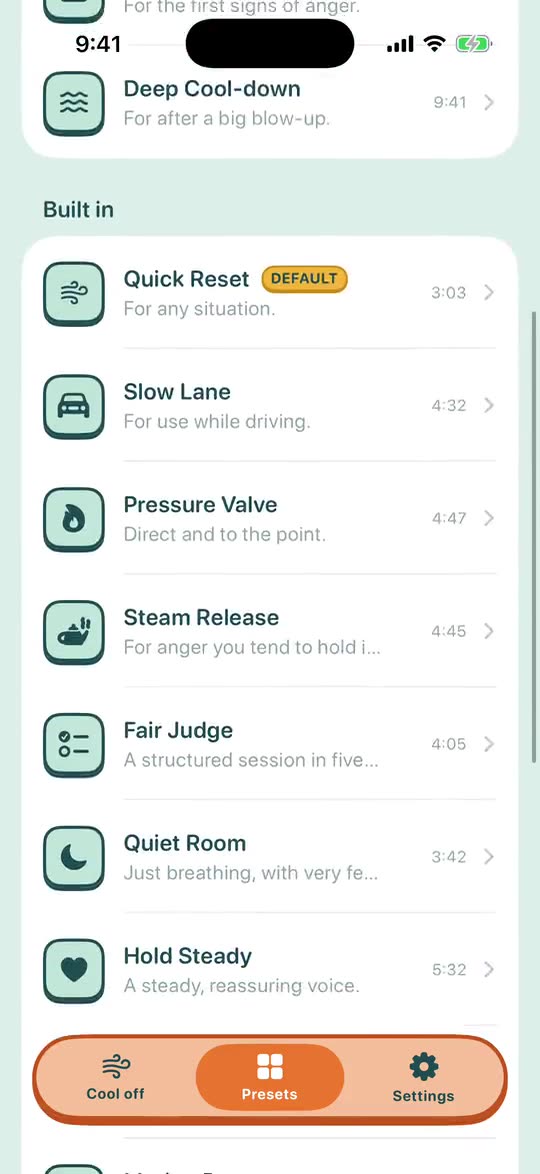
Presets, and making your own
A preset is one guided session: a voice and a set of steps, tuned to one way of getting angry.
The Presets tab
- Find your preset
- A short quiz that picks presets for how you get angry.
- Recommended for you
- The quiz's picks, listed first.
- Built in
- Every preset that comes with Cool Off.
- DEFAULT
- Marks the one the Cool off button, Siri, the widget and the Watch start.
- Mine
- Your own copies. Swipe left on one to delete it.
A preset's page
- Start
- Plays this preset now.
- Favorite
- Marks it with a star in the list.
- Make default
- From now on the Cool off button, Siri, the widget and the Watch start this one.
- Customize
- Saves your own copy under Mine and opens it to change. The built-in presets themselves never change.
Personalizing a preset
Open a built-in preset and tap Customize.
Give the copy a name and tap Save. It opens in the editor: change the voice, the pauses or the steps, then tap Save again.
The copy is listed under Mine.
Tap Make default so the Cool off button starts your version. Edit and Delete are on the same row.
What you can change
- The name, the tagline and the icon.
- The voice: female or male.
- How long the pauses between lines are.
- The steps: talking, breathing, a line to say, silence. Add, remove or reorder them.
- Haptic breathing cues.
Settings › Voice and music sets one voice for every preset at once.